
Congrats on booking your first ad with Gumball! Here's a checklist of steps to ensure a smooth start.
- Record your ad.
- Go to your Gumball Dashboard and click "Read Script" to find copy for the spot.
- Check out this article for best practices on How to Read Ad Copy.
- Does your Dashboard say "Waiting on script from advertiser"? Copy should be available at least 7 days ahead of your scheduled spot as advertisers cannot make updates less than a week out from the airdate. If copy is missing and your spot airs in less than 7 days, please reach out to help@gumball.fm.
- Extra tips:
- If more than one ad for the same brand is on your schedule, each spot is expected to be a unique read even if the script is exactly the same.
- Some advertisers do like to update copy between spots, so we recommend recording each ad as close to the air date as your schedule allows.
- Do you have any conflicts with this ad?
- If you need to reschedule or decline this spot (or any others booked in the future) for any reason, you’ll be able to do so within the 48 hour window after the ad is booked by clicking "Click here" next to the spot. Please note, the option to reschedule/decline will disappear after that 48 hour window expires.

- Once you’ve clicked into the reschedule/decline option, you’ll be able to provide more insight as to why you need to reschedule/decline. Please provide us with a reason from the dropdown so we can help you reschedule or avoid scheduling ads that don’t work for you in the future.
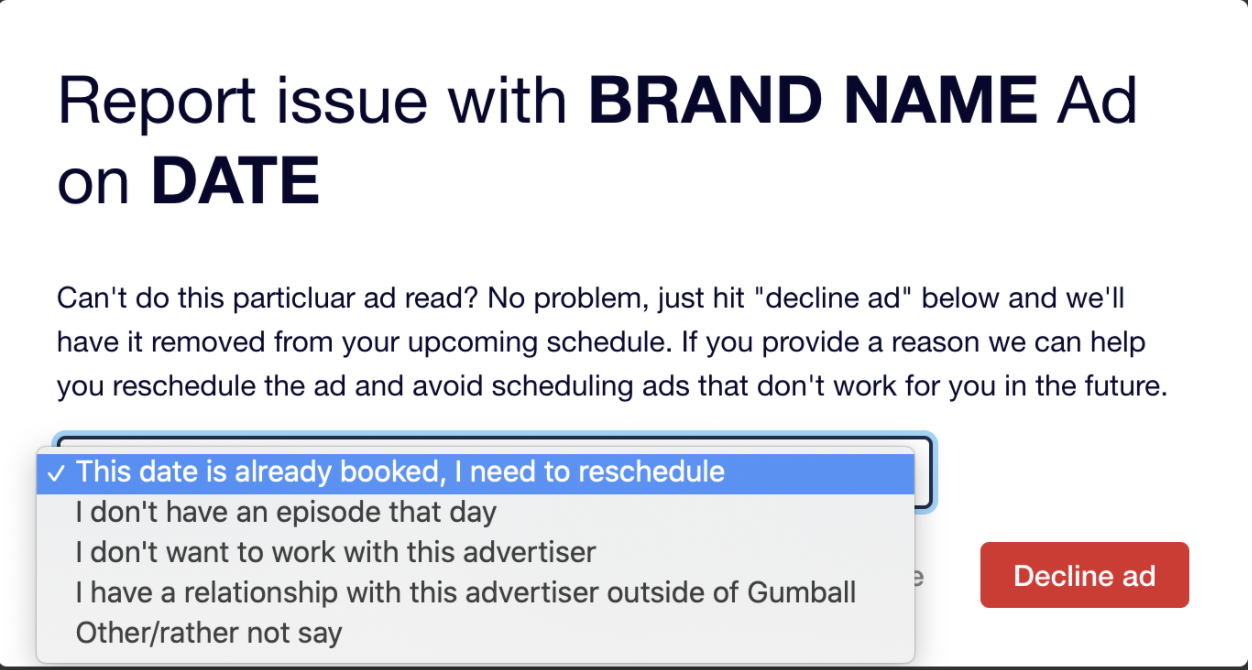
- If you need to reschedule or decline this spot (or any others booked in the future) for any reason, you’ll be able to do so within the 48 hour window after the ad is booked by clicking "Click here" next to the spot. Please note, the option to reschedule/decline will disappear after that 48 hour window expires.
- Schedule the ad in your hosting platform.
- Check your Dashboard for details about the scheduled spot. You'll need this information as you set up the ad in your show's hosting platform.
- Podcast: Is the ad scheduled as a Dynamic or Embedded Audio spot?
- Dynamic - inserted into the newest episode on the drop date a spot is scheduled for along with the entire back catalog until fulfilled
- Embedded - baked into the episode’s content, lives there for at least 30 days or indefinitely
- Is it a Pre-Roll, Mid-Roll or Post-Roll?
- Pre-Roll - should play in the first 10% of the episode
- Mid-Roll - should play in the middle 40-60% of the episode
- Post-Roll - should play in the last 10% of episode
- How many listeners should the ad reach?
- Dynamically inserted ads should run until the number of listens noted next to your ad is met.
- Embedded ads’ listener counts are based on the amount of listens the specific episode receives.
- Is your show simulcast on YouTube? If so, make sure this spot goes live in the corresponding YouTube episode as well.
- Do any details outlined for the spot look incorrect based on the way your show serves ads? Reach out to our team at help@gumball.fm immediately.
- Upload your aircheck.
- Has your ad gone live as scheduled in Gumball? Head to your Dashboard and click “Upload Ad” to upload an aircheck.
- What’s an aircheck? An aircheck is a clip of your ad read used to verify that the spot has been recorded and is being served in the correct episode via your show's hosting platform. Once uploaded, these clips are available for the advertiser to listen to and provide feedback on when necessary.
Comments
0 comments
Article is closed for comments.